
windows 安装配置 noVNC 服务
07 November 2024
windows 安装配置 noVNC 服务
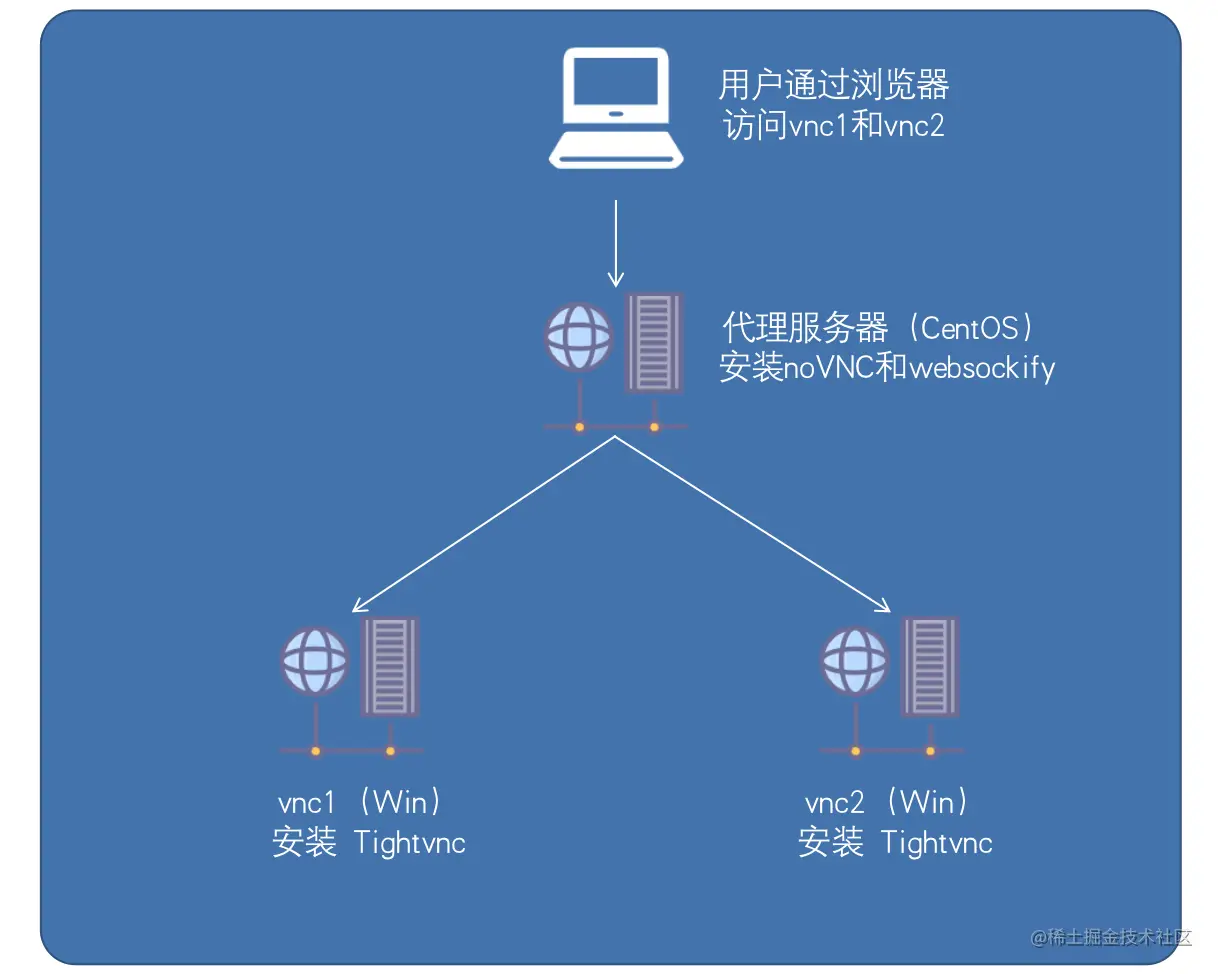
- 下载安装 Node.js, 建一个
C:\Tools\VNC目录并在管理员命令行提示符上进入,再安装依赖: 如果执行npm install报错:CategoryInfo : SecurityError: (:) [],PSSecurityException FullyQualifiedErrorId : UnauthorizedAccess则以管理员模式打开Window PowerShell, 执行:
set-ExecutionPolicy RemoteSigned,回车后输入A即可 (参考:npm 无法运行脚本 - 因为在此系统上禁止运行脚本)。 - 在终端输入get-ExecutionPolicy查看执行策略/权限;
- 输出Restricted(受限制的);
- 终端输入Set-ExecutionPolicy -Scope CurrentUser命令给用户赋予权限;
- 输入RemoteSigned;
- 终端输入get-ExecutionPolicy查看一下权限,显示RemoteSigned就可以了。
npm install ws
npm install optimist
npm install mime-types
- 下载 noVNC 与 websockify-js ,clone或解压到
C:\Tools\VNC\node_modules目录下,再将C:\Tools\VNC\node_modules\noVNC\vnc.html重命名为C:\Tools\VNC\node_modules\noVNC\index.html.
git clone https://github.com/novnc/noVNC
git clone https://github.com/novnc/websockify-js.git
-
下载安装NSSM - windows服务配置工具 https://nssm.cc/download/
- 创建
C:\Tools\VNC\node_modules\noVNC\start_noVNC.bat, 添加以下内容:@echo off cd C:\Tools\VNC\node_modules\websockify-js\websockify node websockify.js --web C:\Tools\VNC\node_modules\noVNC 9000 localhost:5900 - 在管理员命令行提示符上,使用
nssm.exe install noVNC将start_noVNC.bat安装成服务。